|
|
Extra > Align Traces |
|
|
|
|
|





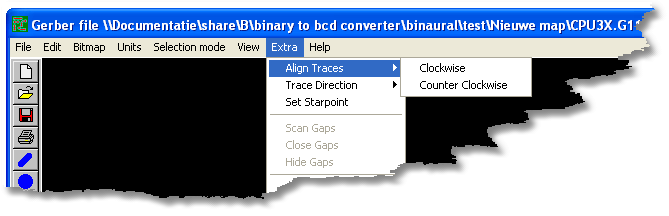
This feature sorts and aligns traces depending on the current selection mode.
This could be very handy to set the correct cutting direction of the trace.
There are two options: Clockwise and Counterclockwise.
If you have selected two or more traces, it will only align and sort these traces.
If nothing was selected, all the traces will be sorted and aligned.
You may show the trace direction by using the Shift L key.
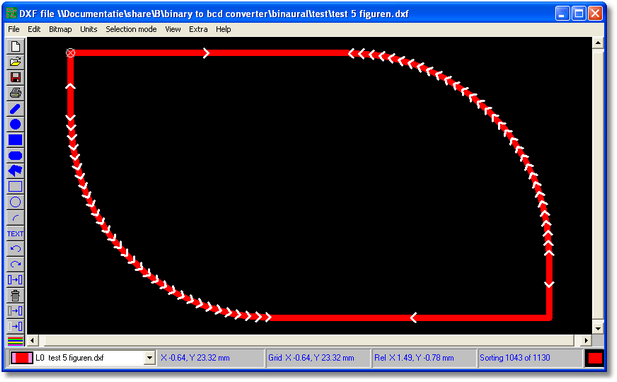
Trace as it was read in.
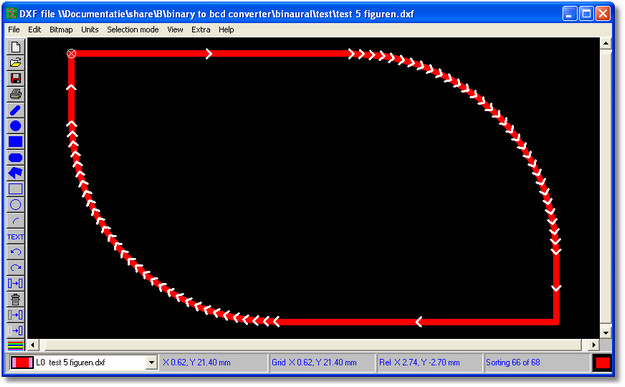
Trace after using this function. The little circle with the cross indicates the starting point